What FIDO2 Passkeys Keep on the Device, and What Depends on the Account Provider
Passkeys replace passwords with a key pair. The private key stays on the device, and syncing depends on the account provider a user chooses.
A passkey is a login credential that replaces a password with a pair of cryptographic keys. The FIDO Alliance describes passkeys as a password replacement technology built on FIDO2 standards, which include WebAuthn and CTAP. WebAuthn is the browser interface that manages passkeys, and CTAP connects client platforms to authenticators. Users sign in by unlocking their device with biometrics, PIN or pattern, rather than typing a secret that could be stolen.
Apple and Google both publish setup and sign-in guidance for passkeys. The U.S. National Institute of Standards and Technology (NIST) publishes digital identity guidelines that define authentication assurance levels. The CSRC page shows July 2025 for the base guidelines, SP 800-63-4, which supersedes SP 800-63-3 dated March 2, 2020.
How the Key Pair Is Split Between Device and Server
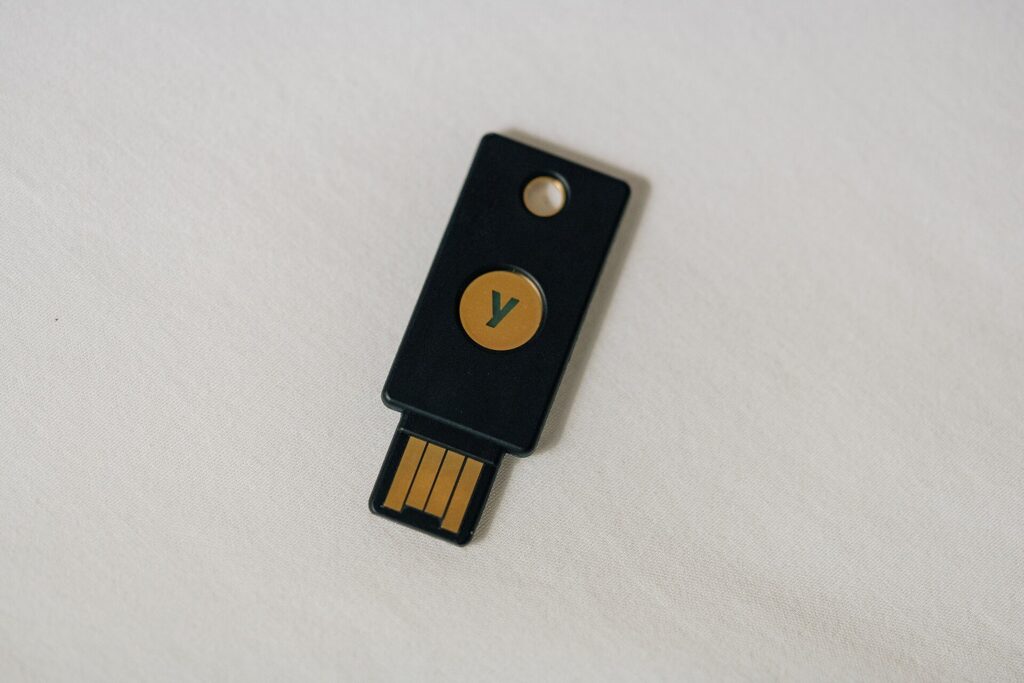
When a user creates a passkey, the device generates a key pair. The website or app keeps only the public key, and the private key stays on the device. A hardware security key can hold the private key instead of a phone or computer.
The FIDO Alliance says the design uses public-key cryptography, so the server holds no shared secret that could be stolen from it. Signing in is a challenge-response exchange. A signature made with the private key is checked with the public key.
Biometric checks stay on the device and are never sent to a remote server. The server receives only confirmation that the check succeeded. Apple says saving and using a passkey can take a single step with Face ID or Touch ID, covering both account creation and sign-in.
Syncing and Assurance Levels
NIST’s SP 800-63B-4 bars syncable authenticators from AAL3 because their private keys must be exportable. At AAL3, the private key must be non-exportable.
Why a Phishing Page Cannot Use a Passkey
A passkey is tied to the site or app it was created for. Apple says people cannot be tricked into using a passkey to sign in to a fraudulent app or website. The FIDO Alliance says passkeys are phishing-resistant by design, and that this holds whether or not the keys are bound to hardware.
Google’s help page adds that passkeys cannot be shared, copied or written down, which it says makes them more secure against phishing.
NIST draws the same line. Phishing resistance requires cryptographic authentication, so one-time codes and other methods that depend on a person typing an output do not qualify. NIST recognises two binding methods, channel binding and verifier name binding. It says channel binding is the more secure of the two, and both satisfy the phishing-resistance requirement. NIST now uses the term phishing for attacks that SP 800-63B previously called verifier impersonation.
How Passkeys Sync Between Devices
Synced passkeys are kept in a platform credential manager, such as iCloud Keychain or Google Password Manager, or in a third-party manager. They appear on every device signed in to the same provider. The FIDO Alliance says syncing is end-to-end encrypted. Apple says passkeys in iCloud Keychain are end-to-end encrypted, so even Apple cannot read them.
Device-bound passkeys, such as those on a hardware security key, do not sync. The FIDO Alliance says device-bound passkeys in modern hardware security keys offer the highest security assurance. It also says a security key can act as a recovery credential if a user loses all synced devices.
Google says Android devices may register passkeys automatically when the user is signed in to the account. A phone passkey can also sign in to a nearby computer. The user enters the username on the computer, chooses the passkey option, scans a QR code with the phone, and confirms on the phone. Bluetooth must be on for this, and Google says a later sign-in from the same computer triggers a notification on the phone.
Apple says passkeys can be imported and exported between password managers. Whether a passkey can move directly between iCloud Keychain and Google Password Manager has not been confirmed.
What NIST’s Assurance Levels Say About Passkeys
NIST’s SP 800-63B-4 sets Authentication Assurance Levels from AAL1 to AAL3. At AAL2, a verifier must offer at least one phishing-resistant option. At AAL3, the authenticator must be phishing-resistant and keep its private key non-exportable, stored in a hardware-protected isolated environment or on a separate processor.
NIST describes syncable authenticators as those that can manage their keys through a sync fabric. Syncable authenticators may not be used at AAL3, because their private keys must be exportable. NIST’s summary table permits exportable keys at AAL1 and AAL2 and prohibits them at AAL3.
The CSRC document history lists drafts dated 06/08/20, 12/16/22 and 08/21/24, and a final version dated 07/31/25. The base guidelines are dated July 2025 on the same page.
The website or app keeps only the public key, and the private key stays on the device.
How to Switch an Account to Passkeys
Google’s steps start on the passkey settings page for the Google Account. The user creates a passkey, unlocks the device, and repeats the step on each device they want to use. Adding a passkey does not change or remove existing sign-in or recovery methods.
Google advises against creating a passkey on a shared device, because anyone who can unlock that device can reach the account, even after signing out. To add a FIDO2 hardware security key, the user chooses the option to use another device and follows the prompts, inserting the key and entering its PIN or touching its fingerprint sensor. A key added before May 2023 may need to be removed from the account first.
Google lists these minimums: Windows 10, macOS Ventura or ChromeOS 109 or later for computers; Android 9 or iOS 16 or later for phones; and Chrome 109, Safari 16, Edge 109 or Firefox 122 or later for browsers. Hardware keys must support FIDO2. A phone screen lock must be on. Google says iPhone, iPad and macOS devices need iCloud Keychain turned on.
Google says a new passkey may need to wait seven days before it is available at sign-in. If it detects a suspicious passkey, it disables the passkey and notifies the account holder. The passkey is deleted unless the holder confirms within 30 days of the warning notification that they added it.
What the Adoption Figures Show
The FIDO Alliance’s passkeys page cites a 2024 survey it commissioned. It found that 53% of people had enabled passkeys on at least one account, and 22% on every account they could.
The same page cites Verizon for the figure that 77% of hacking-related breaches involve stolen credentials. It also cites a FIDO Alliance World Passkey Day 2025 report (Consumer Password & Passkey Trends) finding that 36% of people had at least one account compromised because of passwords, and that 48% had abandoned an online purchase after forgetting a password.
The page also lists sign-in results. It credits Google with a fourfold improvement in sign-in success rate over passwords, and elsewhere claims 20% more successful sign-ins, without reconciling the two.